




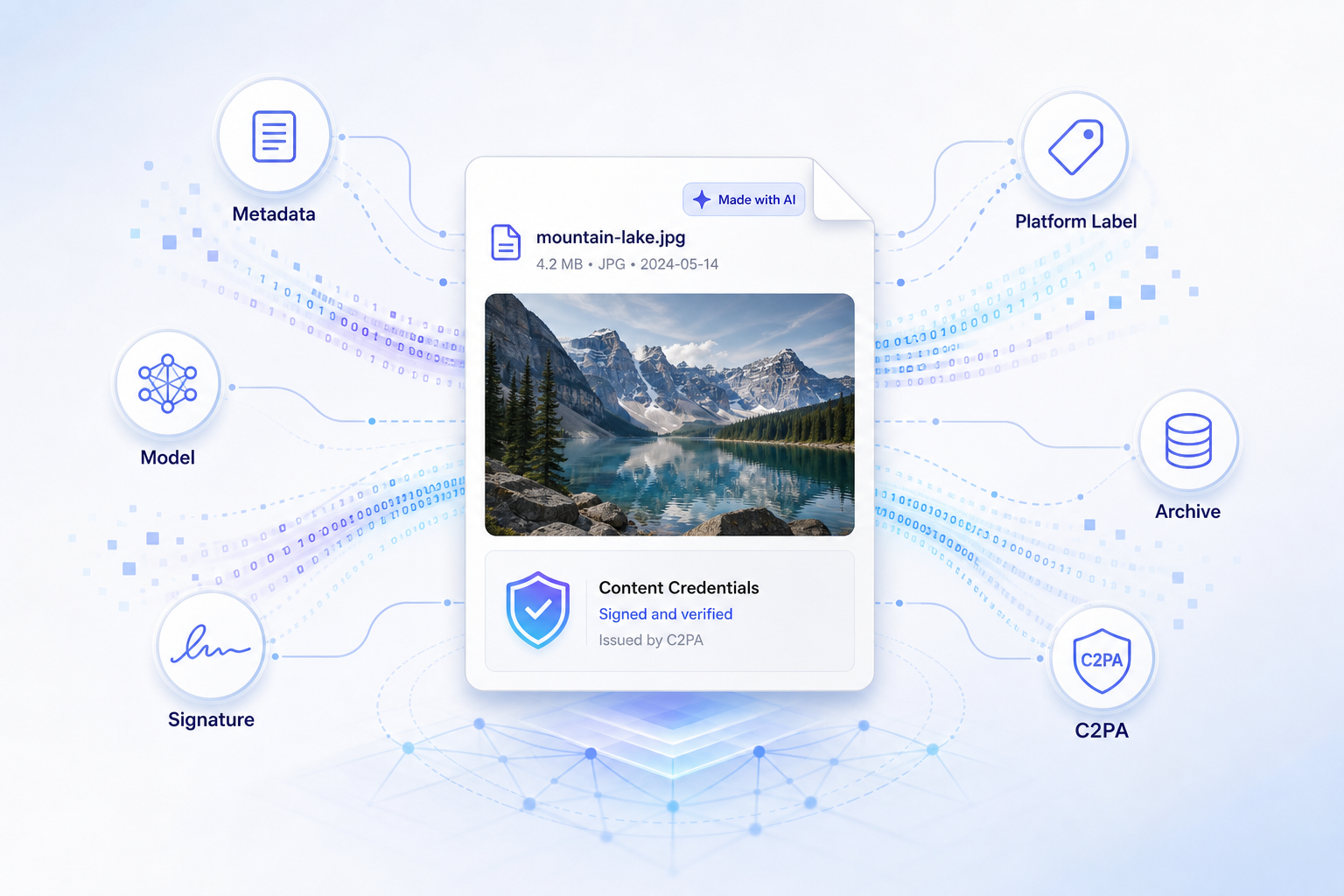
Today I built a small tool called sign-ai-media. It adds C2PA provenance metadata to AI-generated images and videos. In simple terms, it signs a media file and says: this file was created or edited with AI, this was the tool, this was the model, and this is the source type.
There is also a browser version now: https://blog.fka.dev/sign-ai-media/. It works fully in the browser. You drop an image, fill in fields like generator, model, producer, prompt, and source type, and it gives you a signed file. No upload, no backend, no API key needed.
When I shared it, one question came up quickly: if someone wants to show that an image is AI-generated, why not just write it on the image? For example, put “Made with AI” in the design.
This is a good question. But it is a different problem. Writing text on the image is just a visual label. C2PA is provenance metadata. A label is mostly for people. Provenance is for systems.
A label is not the same as provenance
If you write “AI generated” on an image, a person can see it. This can be useful. For a social post or a portfolio image, maybe it is enough. But this text is only pixels. It can be cropped, removed, covered, blurred, or lost when someone takes a screenshot.
Also, software cannot reliably understand it. A CMS, social platform, archive system, or moderation pipeline should not need to look at pixels and guess if there is a label. It should be able to read the file metadata.
C2PA works at that level. It embeds a signed manifest into the file. That manifest can include which tool created the media, which model was used, what kind of media source it is, when it was created, and who signed this information.
So the difference is simple:
A visual label tells a human. C2PA provenance tells the ecosystem.
They can work together. You can still show a visible label. But if you want platforms, tools, and archives to understand the file, you need metadata too.
Why this is becoming important
AI-generated media is not a small category anymore. People use AI images and videos in marketing campaigns, product mockups, internal presentations, news experiments, game assets, stock media, social posts, and synthetic datasets.
Also, many files will not be purely “real” or purely “AI.” A real photo can have an AI-generated background. A product image can be cleaned with AI. A generated image can be edited by a designer. A video can be partially generated and partially captured.
Because of this, the main question is not “Can we detect every AI image?” I do not think we can. The better question is: can good actors attach useful origin information to the files they publish?
This is where C2PA is useful. It is not a magic detector. It is a standard way for honest systems to write provenance, and for other systems to read it.
Platforms already care about this
This is not only a theoretical standard. Big platforms and AI companies are already moving in this direction.
OpenAI says that images generated with ChatGPT and the DALL·E 3 API include C2PA metadata. Their help page says people can use Content Credentials Verify to check if an image was generated by ChatGPT or OpenAI’s API, unless the metadata was removed.
OpenAI also wrote about its provenance work in more detail. They explain that metadata is not a silver bullet, because screenshots, conversions, and some social platforms can remove it. But they still see signed metadata as an important trust signal, because it is hard to fake or change. You can read their post here: Understanding the source of what we see and hear online.
Meta announced that Facebook, Instagram, and Threads would label AI-generated images when they detect standard indicators. They mention both C2PA and IPTC metadata. They also say they want to detect signals from companies like Google, OpenAI, Microsoft, Adobe, Midjourney, and Shutterstock when these companies add metadata to images.
TikTok announced that it is reading Content Credentials from uploaded media to automatically label AI-generated content. TikTok says Content Credentials attach metadata to content, and this metadata can help recognize and label AI-generated content.
X is also part of the same trend. It has implemented “Made with AI” labels in the product UI. I am not saying X uses C2PA for this label. The Verge wrote that X had moved away from C2PA before. But the direction is still the same: platforms need a clear way to show AI disclosure to users.
So this is the bigger picture. AI disclosure is becoming a platform feature. Sometimes it uses C2PA. Sometimes it uses IPTC metadata. Sometimes it is a platform toggle. But the need is the same.
What C2PA gives to a file
C2PA means Coalition for Content Provenance and Authenticity. Practically, it lets a file carry a signed history about how it was created or edited.
For an AI-generated image, a simple manifest can say:
{
  "action": "c2pa.created",
  "softwareAgent": {
    "name": "my-generator",
    "version": "1.0.0"
  },
  "digitalSourceType": "http://cv.iptc.org/newscodes/digitalsourcetype/trainedAlgorithmicMedia"
}
The last value is important. trainedAlgorithmicMedia is the IPTC source type for media created by a trained algorithmic system. In normal language, it says: this media was generated by AI.
You can also add more readable metadata:
{
  "generator": "My Generator",
  "model": "my-model-v1",
  "producer": "My Org",
  "prompt": "A red fox in a snowy forest"
}
You do not always need to include the prompt. In production, you should be careful. Prompts can include private details, customer names, internal instructions, or campaign information. If you add something to C2PA metadata, assume downstream tools can read it.
Real-world use cases
The most direct use case is an AI image API. If you run a generator, you can sign every output before the user downloads it. The file can say which model created it, which service produced it, and whether it is AI-generated or AI-edited. This gives other platforms a consistent signal.
Another use case is internal media pipelines. Imagine a company creating hundreds of AI-assisted images for ads, blog posts, decks, and product pages. After six months, someone asks which model created an image, if it was edited, or if it came from an internal tool or a vendor. If this information only exists in Slack messages or spreadsheets, it will be lost. If the file carries provenance, the context stays with the asset.
CMS and publishing systems can also use it. A newsroom, ecommerce site, or asset manager can inspect files when they are uploaded. If an image says it is AI-generated, the CMS can show a review badge. If it says it was edited with AI, it can require another type of disclosure. If it has no provenance, it can go to manual review.
Dataset workflows are another good example. If you build datasets, it is useful to separate camera captures, fully synthetic images, AI-edited media, screen captures, composites, and generated training data. This matters for evaluation, licensing, and reproducibility.
And finally, there is the user-facing case. Most users will not open a C2PA manifest and read JSON. But a platform can read the manifest and show a simple label like “AI-generated”, “Created with ChatGPT”, or “Edited with generative AI.” That is what Meta and TikTok are moving toward.
What sign-ai-media does
sign-ai-media is intentionally focused. It is not trying to replace all C2PA tools. It is a shortcut for one workflow:
I have an AI-generated image or video, and I want to sign it with clear AI provenance.
The package includes a CLI, a TypeScript API, a browser demo, a CDN browser API, and a Claude Code skill. By default, it writes a c2pa.actions.v2 assertion, a c2pa.created action, a softwareAgent, IPTC trainedAlgorithmicMedia, schema.org CreativeWork metadata, optional training/data-mining policy assertions, and a C2PA signature.
The GitHub repo is here: https://github.com/f/sign-ai-media.
The browser demo is here: https://blog.fka.dev/sign-ai-media/.
Using the browser UI
The easiest way to try it is the browser UI. Open https://blog.fka.dev/sign-ai-media/, drop an image or video, fill in the Software Agent field, and optionally add version, generator, model, producer, prompt, source type, and seed.
After you click Sign Media, the app gives you a downloadable signed file. You can then switch to the View tab and drop that output back in to inspect the metadata.
The browser demo uses development signing credentials. This is fine for demos and local tests, but it is not a production identity. If you want trusted public provenance, you need real C2PA signing credentials and usually a timestamping setup.
Using the CLI
For local or server-side workflows, the CLI is simple:
npm install sign-ai-media
Then sign a file:
npx sign-ai-media input.png output.png \
  --software-agent "my-generator" \
  --version "1.0.0" \
  --generator "My Image API" \
  --model "my-model-v1" \
  --producer "My Org" \
  --prompt "A red fox in a snowy forest" \
  --source-type ai-generated
Inspect the output:
npx sign-ai-media --view output.png
For production signing, pass your own certificate and private key:
npx sign-ai-media input.png output.png \
  --software-agent "my-generator" \
  --certificate ./certs/signing-cert.pem \
  --private-key ./certs/signing-key.pem \
  --algorithm es256 \
  --tsa-url "https://timestamp.example.com"
If you do not pass --certificate and --private-key, the CLI uses bundled development credentials.
Using it in the browser with CDN
There is also a CDN build:
<script type="module">
  import {
    signAiGeneratedMedia,
    viewAiGeneratedMedia,
  } from "https://cdn.jsdelivr.net/gh/f/sign-ai-media@main/web/cdn/sign-ai-media.browser.js";

  const file = document.querySelector("input[type=file]").files[0];

  const { blob } = await signAiGeneratedMedia(file, {
    metadata: {
      softwareAgent: "my-generator",
      version: "1.0.0",
      generator: "My Generator",
      model: "my-model-v1",
      producer: "My Org",
      prompt: "A red fox in a snowy forest",
    },
  });

  console.log(await viewAiGeneratedMedia(blob));
</script>
The CDN build includes the C2PA WebAssembly payload inline, so you can import one JavaScript file from jsDelivr. For production, pin it to a commit SHA or release tag instead of @main.
Using it with Claude Code
The repo also includes a Claude Code skill:
npx skills add f/sign-ai-media --skill sign-ai-media -g -y
After installing it, you can ask Claude Code to sign an image, inspect C2PA metadata, or help integrate the browser API. This is useful because there are many flags and options, and you may not want to remember all of them.
What this does not solve
C2PA is useful, but it is not magic. Metadata can be removed. Screenshots remove it. Some social platforms strip it. File conversion can lose it. Bad actors can simply choose not to sign their content.
So this is not a perfect AI detector. It should not be marketed like that.
The better framing is this: C2PA lets honest systems make provenance portable and verifiable. Most web infrastructure works like this. HTTPS does not stop every phishing site. Email authentication does not stop all spam. Package signatures do not make every dependency safe. But they create a baseline that good actors can use and automated systems can verify.
C2PA is similar. It does not solve deception by itself, but it gives the ecosystem a standard signal.
Why I think this is worth building
The web is moving toward a world where AI-generated and human-created media are mixed together everywhere. In that world, “just write AI on the image” is not enough. We need metadata that can survive outside the design layer. We need files that can tell publishing systems, social platforms, archives, and future tools how they were created.
That is why I built sign-ai-media: not because every image needs a giant label, but because some images need a passport.
